Go Play
Install guide

Chicken Roll Game Download — APK, App and Browser Build Compared

Play Chicken Road

Three ways exist to open the game and only two of them are worth using. Below: the routes side by side, what a legitimate install actually asks for, how the Chicken Roll 2 download differs, and the permission requests that give a fake app away.

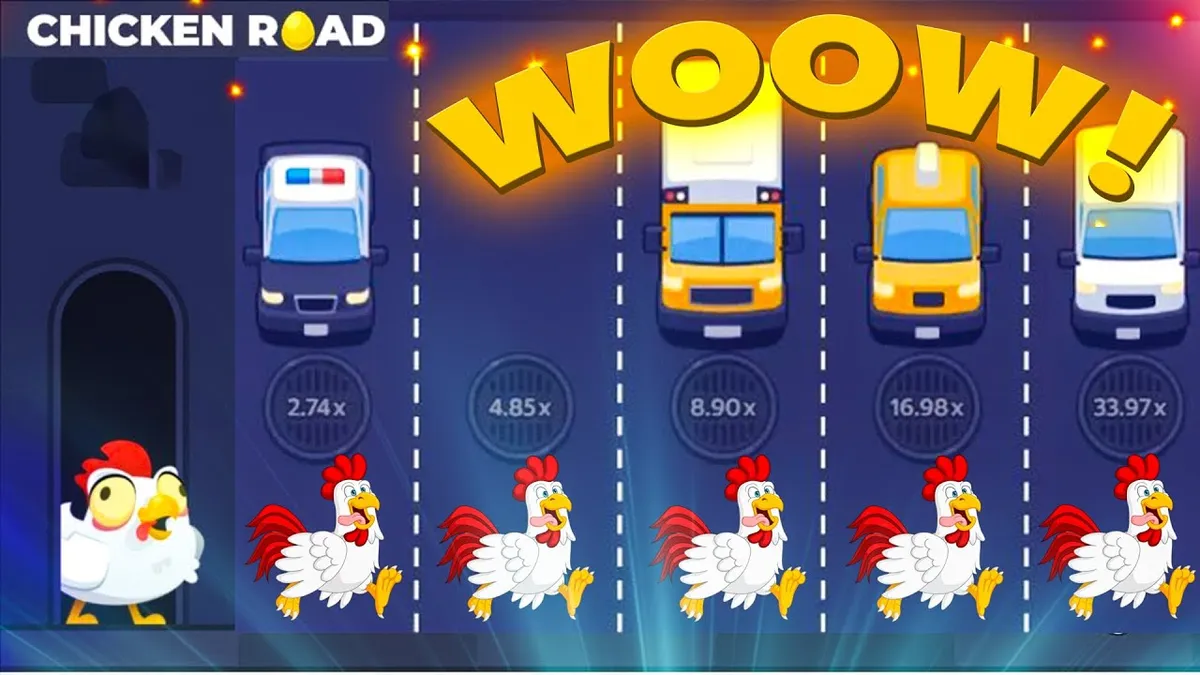
Chicken roll game round running in the browser with lanes and rising multipliers
A live round in the browser build — the reference any install should be compared against.
  • Ways to open3 routes
  • Smallest route0 MB, browser
  • Permissions a real build needsStorage + network
  • Route we would skipForwarded apk
Route comparison

Three Ways to Open the Game

A chicken roll game download is not always a download. Two of these routes install nothing at all, and for most players that is the better outcome — fewer files, fewer permissions, nothing left behind on the phone.

Compared on
Chicken roll game logo as the browser build loads it Safest route Browser build
Desktop monitor running the installed chicken roll game app Situational Official app
Chicken roll game mascot artwork of the kind repackaged apk builds copy Avoid Sideloaded apk
What it is The online version, loaded in Chrome or any mobile browser. A listed store app, where one exists for your region. An install file passed around in chats and on mirror sites.
Install size 0 MB — nothing written to storage. Roughly 40 MB, removed cleanly on uninstall. Varies. Repackaged builds are often heavier than the original.
Publisher you can check Yes — the address bar is the publisher. Yes — name, install count and reviews before you tap. No — no signature and nobody to hold responsible.
Permissions asked None beyond the browser you already trust. Storage and network, and nothing else in a clean build. Frequently SMS, contacts or accessibility access.
Updates Arrive on their own, no reinstall. Signed by the same publisher each time. Manual, from whichever mirror is up that week.
Dropped connection mid-round A reloading tab is the weak point of this route. Recovers best — the one honest argument for installing. Same as the app, assuming the build is genuine.
Where fakes come from Rare — there is no file to repackage. Rare, and reviews expose the ones that slip through. Nearly all of them — same artwork, edited payouts.
Best for Anyone opening the game for the first time. Regular players on an unstable mobile connection. Nobody, unless every other route is unavailable.
In this order

Chicken Roll Game Download, Step by Step

Four steps in a fixed order. Do them out of order and the two checks that actually protect you — publisher and permissions — end up happening after the install, which is too late to matter.

  1. 01

    Try the browser build before downloading anything

    Open the online version first and play a few demo rounds. If the lanes, the multiplier step and the cash-out button all behave the way this site describes, you have a working reference build — and if the browser version is enough for you, the download question is already answered. Players who skip this step usually install an app to find out what the game is, which is exactly backwards.

  2. 02

    Check the publisher, not the icon

    Artwork is trivial to copy; a publisher name, an install count and a review history are not. Read those three before tapping install, and be suspicious of a listing with a polished icon and a three-week history.

  3. 03

    Read the permission list once

    A lane-crossing game needs storage and network. Anything asking for SMS, contacts or accessibility access is asking for something else entirely, and no amount of five-star reviews makes that request reasonable.

  4. 04

    Open the demo before the first real round

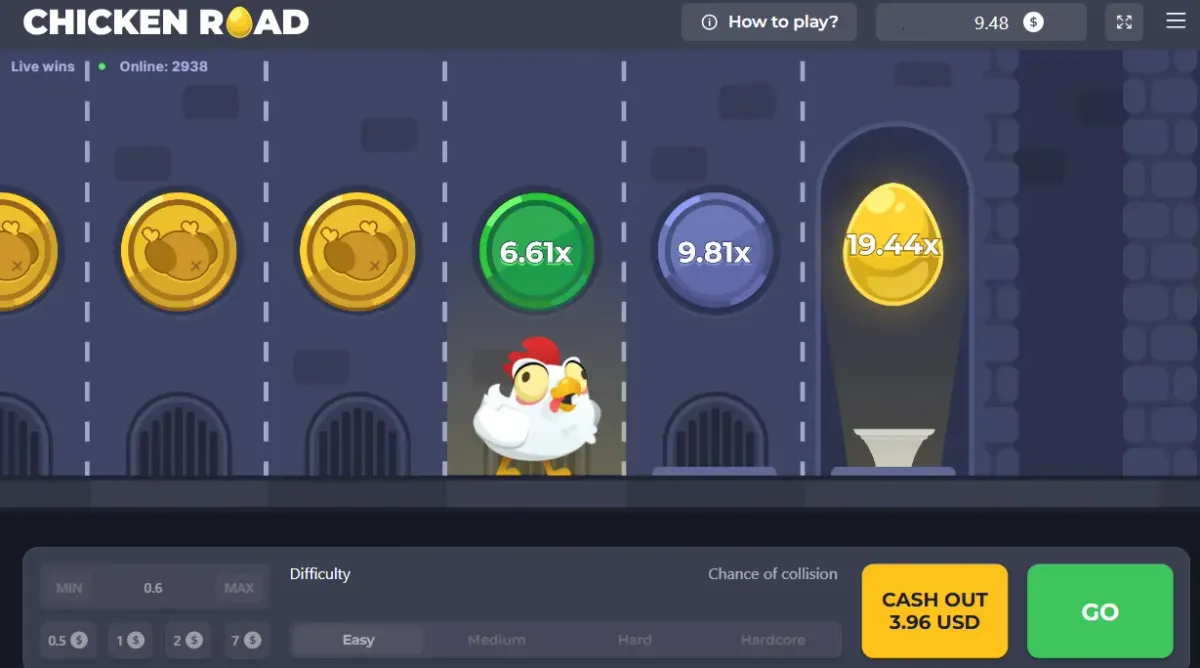
    Once installed, replay the same demo rounds you played in the browser and compare the payout steps. If a cleared lane pays less inside the app than it did online, the build has been edited and no amount of playing carefully will make that back. Delete it, clear the download, and go back to the route that behaved correctly — a chicken roll game download that quietly changes the maths is worse than no download at all.

Game board with a 5.96 cash-out, used to compare payout steps after installing
App or online build

Which Version Should You Actually Install?

For a game that lasts under a minute per round, an installed app buys very little. The browser build loads the same lanes, keeps the same multiplier curve and cannot be repackaged by whoever forwarded you the link. The one honest argument for the app is stability: on a patchy mobile connection, a native build recovers from a dropout more gracefully than a browser tab that reloads mid-round.

Chicken Roll 2 muddies this slightly, because the newer difficulty presets and the on-screen history panel sometimes appear in app builds first. That is a reason to check which version you are in, not a reason to sideload a file from a chat group. If the 2.0 features matter to you, wait for them online rather than trading a signed build for an unsigned one.

Verdict: stay in the browser unless your connection drops mid-round. If it does, install from a listed store — and never from a forwarded file.

Warning signs

Three Red Flags on a Fake Download

Every fake build we have looked at trips at least one of these, usually before the first round even starts. None of them require technical knowledge to spot.

It demands an account before showing a lane

A real demo runs on practice credits with no sign-up. A build that gates the first round behind a login and a deposit has nothing to demo — it has a queue for your money.

The install file arrived as a forward

Mirror sites and chat forwards are the delivery route for repackaged apps. The icon is identical, the artwork is identical, and the payout table underneath is not.

The payout step changed after install

Compare a few demo rounds against the browser build. Different numbers for the same cleared lane means the file was edited, and the edit was never in your favour.

Problem, cause, fix

When the Download Will Not Cooperate

Four problems account for almost every "download not working" message we see. Three have dull technical causes; the fourth is not a technical problem at all.

The download starts and immediately stops

Usual causeFull storage, or a browser blocking the file type. A file that dies at the same percentage every attempt points at a broken mirror rather than your phone.

FixFree a few hundred megabytes and retry on a stable connection. Change source if it keeps failing — do not switch off your browser's protection to force it through.

"App not installed" after the apk finishes

Usual causeA signature clash with a version already on the phone, or an incomplete file left over from a resumed download.

FixUninstall the old build, re-download from scratch, install once. Never chase a "patched" copy that installs anyway — someone else resigned that build, and it was not the developer.

Chicken Roll 2 features are missing after the update

Usual causeThe 2.0 builds roll out unevenly, so difficulty presets and the history panel can be absent even on a current install.

FixRead the version string in settings before assuming the download failed. A build without the presets is the original game — older, and slightly more forgiving in the opening lanes.

A download promising guaranteed money or a hack

Usual causeNothing is broken. The multiplier resolves server-side, so no downloaded file, mod menu or predictor script can see a lane before it resolves.

FixClose the page. Those builds either harvest logins or sell you the same demo with an inflated counter, and there is no version of this game where a local file changes the odds.

Download Notes Worth Keeping

Search interest for a chicken roll game download runs at roughly a seventh of the interest in the game itself, which tells you something: most people find the game first and only then start looking for a file. That order matters, because by the time someone is hunting for an install they usually already want to play, and wanting to play is precisely the state in which bad links get tapped.

The practical advice is unglamorous. Play the online build until you are bored of it. If you still want an installed copy after that, get it from a listed store with a visible publisher, and treat any other source as unverified by default. There is no ranking of "best mirrors" on this site because a mirror that is clean today can serve a different file tomorrow, and a list like that ages into a liability.

What a Legitimate Install Looks Like

Two permissions, a visible publisher, a version string you can read in settings, and a demo that runs before any account exists. That is the whole checklist. A build meeting all four can still lose you money — it is a stake-based game and the lanes do not care about your download hygiene — but at least the money is lost in the game rather than to whoever repackaged it.

If you are new to the format, the round mechanics are worth reading before the install question matters at all: the chicken roll game guide on our home page covers lanes, cash-out timing and stake tiers in more detail than this page does. For what a legitimate package actually asks of your phone, the app and install notes go through the permission list line by line.

Downloading on a Shared or Older Phone

Two situations deserve a word. On a shared phone, an installed build leaves a launcher icon and a login session behind, which is a privacy problem long before it is a gambling one — the browser route avoids both. On an older device, the app is often the better performer, because a native build handles the animation at a steadier frame rate than a browser tab juggling six tracks of moving traffic. Neither case changes the odds; they change how comfortable a session feels, which is worth being honest about.

Download FAQ

No. The online build runs in a mobile browser with nothing installed, and for the majority of players that is the sensible choice — same lanes, same multiplier steps, no file on the phone and nothing to uninstall later. Download only if you specifically want offline-tolerant behaviour on a weak connection.

We do not publish mirror links, and any site that maintains a long list of them is not doing you a favour. Use a listed store where the publisher name, install count and review history are all visible, or stay in the browser. A link forwarded through a chat group has no accountability attached to it, no matter how many people in that group say it worked for them.

Technically an apk is the same package format a store delivers, but sideloading strips away the part that matters: the store's signature check and a publisher you can identify. That is why repackaged builds circulate as apk files rather than store listings. If you must sideload, compare the demo payout steps against the browser build immediately afterwards.

You usually do not choose. The 2.0 rollout arrives through normal updates rather than as a separate download, so the reliable move is to check the version string in settings and look for the two markers of the newer build — selectable difficulty and an on-screen round history. Chasing a standalone "Chicken Roll 2 apk" is how people end up with the repackaged copies.

It cannot. Rounds resolve on the server, so the file on your phone only draws the result it is told. Where an installed build differs from the browser build, the difference is always in the wrong direction — a lower payout step per cleared lane — because that is the edit a repackager makes money from. Anything advertising a paisa wala mod, hack or predictor is selling either a scam or malware.

This website is for informational purposes only and is not a gambling operator: we do not accept bets or payments. 18+. Gambling involves risk and may lead to addiction — please gamble responsibly. Information (bonuses/terms/licenses) may change: check current rules on the operator’s website. We are not responsible for decisions and financial losses related to the use of third-party services.