
Go Play
App notes

Chicken Roll Game App — Size, Permissions and What to Check

Play Chicken Road

An installed build is roughly forty megabytes of artwork wrapped around a thin client that draws whatever the server sends. Everything worth checking happens before you tap install: who published it, what it asks for, and whether the demo behaves the way it does online.

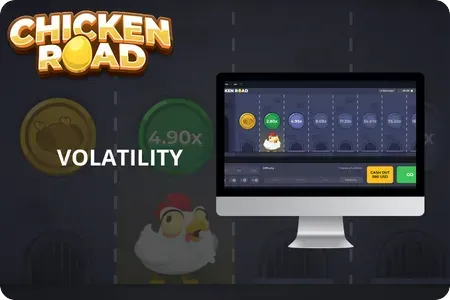
Desktop monitor running the chicken roll game with its volatility rating on screen
The same thin client, whether it runs in a window or on a phone.
Phone showing an 8.16x lane during a chicken roll game round
What you are installing

Forty Megabytes of Artwork and Not Much Else

A chicken roll game app is not the game. The game — the part that decides whether lane four ends your round — runs on the operator's servers. What lands on your phone is artwork, sound, an interface and a connection layer that asks the server what happened and draws the answer.

That matters for two reasons. First, an app cannot make you win, because nothing in the package decides outcomes. Second, an app can absolutely make you lose more than you should, because the interface is the part a repackager edits: a payout step of 1.2x per lane in one build and 1.1x in a copy looks like nothing and compounds into everything.

Judge an app on what it asks for and who published it, never on how it looks. Artwork is the easiest part to copy.

Permissions

What a Clean Build Asks For — and What It Never Asks For

Two permissions cover everything a lane-crossing game legitimately needs. Anything past that line has a purpose unrelated to the game you came for.

Permission
ExpectedWhy a real build needs it
WarningWhat it means on a fake
Network access Required — rounds resolve on the server, so the client must talk to it. Nothing suspicious on its own. Every build needs it.
Storage Required — caching artwork so the game does not redownload it every launch. Broad storage access on older systems can also mean reading files you never offered.
SMS Never — a game has no reason to read your messages. One-time passwords. This is how account takeovers get automated.
Contacts Never — no feature here requires your address book. Harvesting numbers to push the same install file further.
Accessibility service Never — nothing in this game reads or controls other apps. The most dangerous request on the list. It can read screens and tap on your behalf.
Install unknown apps Never from a legitimate store install. A build that wants to install further packages is not a game at all.
Before you tap

Picking a Listing You Can Actually Trust

Four checks, none technical, all faster than uninstalling something later.

  1. 01

    Read the publisher line, not the app name

    App names are decoration. The publisher is the accountable party, and one with a single product and a three-week history is not the same proposition as one with a catalogue and years of reviews behind it.

  2. 02

    Sort reviews by recent, not by rating

    Repackaged builds buy their opening reviews. What they cannot buy is the tail: read the last two weeks and watch for five-star one-liners sitting beside detailed complaints about withdrawals or crashes.

  3. 03

    Check the install size against the promise

    This app is mostly artwork. A build dramatically heavier than its peers is carrying something extra; a build of only a few megabytes is a shell around a web page dressed as a native app.

  4. 04

    Confirm the demo still works after installing

    The clearest test available to anyone. Play the same short demo rounds you played in the browser and compare what each cleared lane pays. Matching numbers mean the client is honest; different numbers mean the package was edited.

After install

Three Things That Should Make You Uninstall

None of these are ambiguous. Any one of them is enough on its own.

It asks for a permission after launch

A second request for SMS or accessibility access, framed as "needed to verify your account", is the standard script. The game needs neither, and the request arriving late is the tell.

The demo disappeared

If practice mode was visible before installing and gone afterwards, the build wants your first round to be a paid one. Nobody makes that design choice for your benefit.

The payout step is lower than online

Same lane, same difficulty, smaller multiplier. This is the edit that makes repackaging profitable, and it stays invisible unless you deliberately compare.

Does the App Give You Anything the Browser Does Not?

Honestly: stability, and nothing else. On a stable connection the two are indistinguishable, because both are drawing results calculated somewhere else. On a patchy connection the installed build handles a dropout better, reconnects faster and does not lose your session to an accidental tab reload. If your signal is reliable, the app is a convenience purchase paid for in permissions and storage.

The claims worth ignoring are the ones repeated in listing descriptions: higher payouts, exclusive lanes, faster withdrawals, better odds for new installs. None of these can be true of a client that does not decide outcomes. A listing advertising them is telling you about its honesty rather than its features.

Apps on a Shared Phone

An installed build leaves a launcher icon and usually a logged-in session. On a shared device that is a privacy problem before it is anything else — anyone who picks up the phone sees both that the app exists and, often, the balance inside it. The browser route leaves nothing beyond a history entry you can clear, which is why we suggest it by default for anyone whose phone is not exclusively theirs.

New to the game itself rather than to the install question? Start with the rules and stake tiers on the chicken roll game home page. If a link someone sent you is what prompted the install, read the official link checks first: most bad apps arrive through a bad link rather than a bad store.

App FAQ

Around forty megabytes for a typical build, almost all of it artwork and sound. A package far heavier is carrying code the game does not need, and one of only a few megabytes is a shell wrapped around a web view. Neither is automatically malicious, and both deserve a second look.

Network access and storage — that is the complete list for a lane-crossing game. SMS, contacts, accessibility services and permission to install other packages have no legitimate use here, and a build asking for them should be removed rather than negotiated with.

Only for connection stability. Rounds resolve server-side, so odds, lanes and payout steps are identical in any honest build. With a solid signal the browser gives you the same game with fewer things to check and nothing left on the phone.

You can, and that route is where nearly every fake originates. Sideloading removes the signature check and the publisher record, which are exactly the two things you would use to judge the build. If no listing exists for your region, staying in the browser is the safer answer.

Because one of them has been edited, and it is not the website. Compare the same difficulty on both, note what a cleared lane adds in each, and uninstall the one paying less. There is no legitimate reason for one operator to run two different payout tables on two clients.

This website is for informational purposes only and is not a gambling operator: we do not accept bets or payments. 18+. Gambling involves risk and may lead to addiction — please gamble responsibly. Information (bonuses/terms/licenses) may change: check current rules on the operator’s website. We are not responsible for decisions and financial losses related to the use of third-party services.